
Tencent Docs OpenAPI 接入教程
... 2022-7-20 大约 3 分钟
# Tencent Docs OpenAPI 接入教程
# 示例一:使用 OpenAPI 创建一篇在线文档
# 0. 获取 client ID、Client Secret
登录腾讯文档开放合作平台 (opens new window)
,注册成为开发者。创建第三方应用且应用审核成功后,系统将自动分配 Client ID 和 Client Secret 。
# 1. 发起授权流程
根据接口文档发起授权拼接用户授权链接
https://docs.qq.com/oauth/v2/authorize?client_id=docs_qq_com&redirect_uri=https://docs.qq.com&new_login=1&response_type=code&scope=all&state=123
1
1
这里使用的参数是:
| 名称 | 值 |
|---|---|
| client_id | docs_qq_com |
| redirect_uri | https://docs.qq.com |
| new_login | 1 |
| response_type | code |
| scope | all |
| state | 123 |
其中 new_login 固定填写 1,表示使用新版授权登录组件,详见发起授权。
注意:新版授权登录组件对承载容器的尺寸有要求,容器宽度不得小于 480px,高度不得小于 610px,否则可能出现样式异常。
# 2. 用户扫码授权
首次登录授权需同意腾讯文档的服务协议和隐私政策。
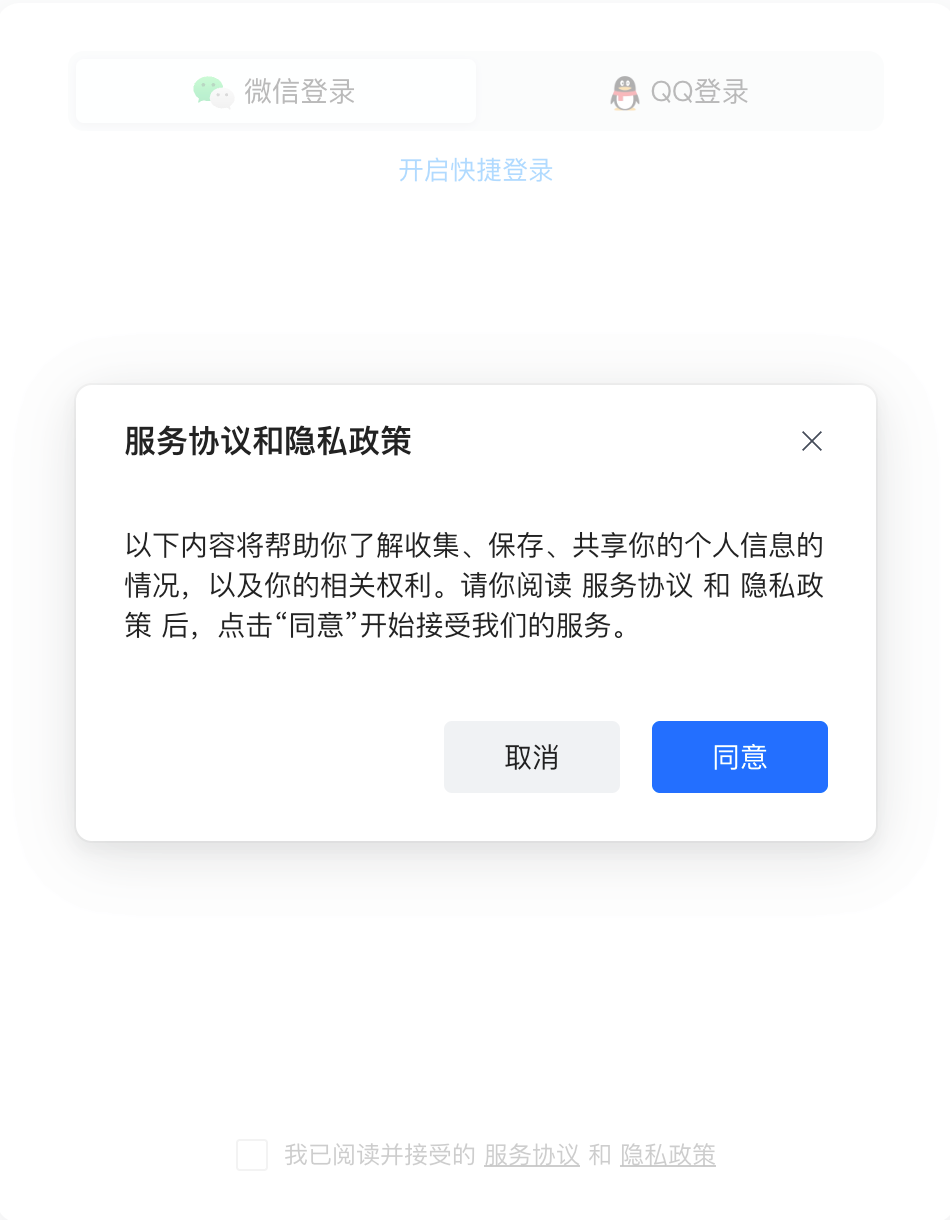
用户可快速、扫码登录授权。
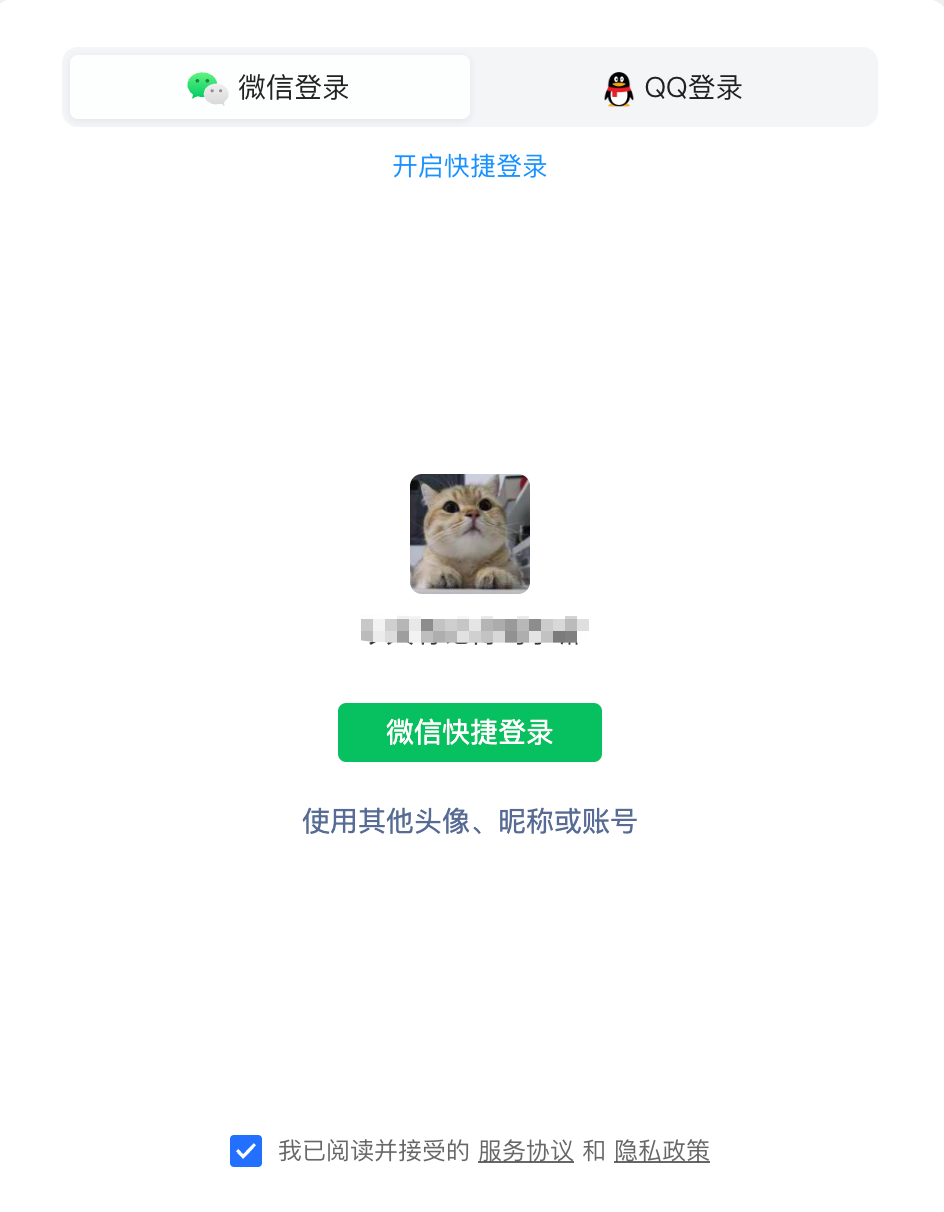
登录授权后,勾选并同意。

# 3. 回调地址参数中获取 Code
用户授权完成后,会通过浏览器向预留的回调地址发起 GET 请求,并把 5 分钟有效的授权码(code)
填写在请求参数中,开发者收到请求后解析即可获取授权码。
本例中发送的请求为
curl 'https://docs.qq.com/?code=R2_ITAFDMC-TWYWB39L1UW&state=123&u=c29044dbf0aa474aad00ecc6cc15c7b9'
1
1
# 4. 使用 Code 获取 Token
获取到授权码后,通过获取 Token 接口,获取用户资源访问令牌 Access Token。
根据获得的 code 发起请求,注意如果 code 过期或者已经被使用过一次,以下请求将返回 HTTP 错误码 401 Unauthorized。
curl --location --request GET 'https://docs.qq.com/oauth/v2/token?client_id=docs_qq_com&client_secret=xxx&redirect_uri=https://docs.qq.com&grant_type=authorization_code&code=FF1JNBW2NA2Y5MI_I5DLGA'
1
1
正确回包如下,至此已完成获取授权操作,具备了调用 OpenAPI 的先决条件。
{
  "access_token": "BLIPMNC-MUEMGSLXU4HVHQ",
  "expires_in": 2592000,
  "refresh_token": "IWCYOV3HVKS7JMKC5W1KBA",
  "scope": "scope.attachment.queryable,scope.auth.direct,scope.doc.editable,scope.doc.readonly,scope.drive.form,scope.drive.group,scope.drive.presentation,scope.file.creatable,scope.file.deletable,scope.file.modifiable,scope.file.queryable,scope.folder.creatable,scope.folder.deletable,scope.folder.modifiable,scope.folder.queryable,scope.sheet.editable,scope.sheet.readonly,scope.smartsheet.editable,scope.smartsheet.readonly,scope.user.info,scope.user.login",
  "token_type": "Bearer",
  "user_id": "74dc0e3512a24df198474b6d89776649"
}
1
2
3
4
5
6
7
8
2
3
4
5
6
7
8
1
2
3
4
5
6
7
8
2
3
4
5
6
7
8
# 5. 调用 OpenAPI 创建一篇在线文档
调用新建文档接口 接口,填写相应参数。根据文档OpenAPI 请求规范说明 鉴权参数位于请求头。对应关系如下:
| 参数名 | 获取步骤 |
|---|---|
| Access-Token | 经用户授权,完成 Token 获取后获得,为获取 Token 接口回包中的 access_token 参数 |
| Client-Id | 注册成为开发者后申请应用获得 |
| Open-Id | 与 Access-Token 同时获得,对应回包中的 user_id 参数 |
发起请求,创建一个名为 hello tdoc 的 doc 品类的文档,请求如下:
curl --location --request POST 'https://docs.qq.com/openapi/drive/v2/files' \
--header 'Access-Token: BLIPMNC-MUEMGSLXU4HVHQ' \
--header 'Client-Id: docs_qq_com' \
--header 'Open-Id: 74dc0e3512a24df198474b6d89776649' \
--header 'Content-Type: application/x-www-form-urlencoded' \
--data-urlencode 'title=Hello Tdoc' \
--data-urlencode 'type=doc'
1
2
3
4
5
6
7
2
3
4
5
6
7
1
2
3
4
5
6
7
2
3
4
5
6
7
请求结果:
{
  "ret": 0,
  "msg": "Succeed",
  "data": {
    "ID": "300000000$fclZsEgvOuLD",
    "title": "Hello Tdoc",
    "type": "doc",
    "url": "https://docs.qq.com/doc/DZmNsWnNFZ3ZPdUxE",
    "status": "normal",
    "isCreator": true,
    "createTime": 1658166722,
    "creatorName": "客服小迈",
    "isOwner": true,
    "ownerName": "客服小迈",
    "lastModifyTime": 1658166722,
    "lastModifyName": "客服小迈",
    "tenant": ""
  }
}
1
2
3
4
5
6
7
8
9
10
11
12
13
14
15
16
17
18
19
2
3
4
5
6
7
8
9
10
11
12
13
14
15
16
17
18
19
1
2
3
4
5
6
7
8
9
10
11
12
13
14
15
16
17
18
19
2
3
4
5
6
7
8
9
10
11
12
13
14
15
16
17
18
19
登录腾讯文档 (opens new window)确认结果,刚刚使用 OpenAPI 新建文档接口
创建的文档已经出现在了列表中。

至此已完成使用 OpenAPI 新建文档,大功告成。